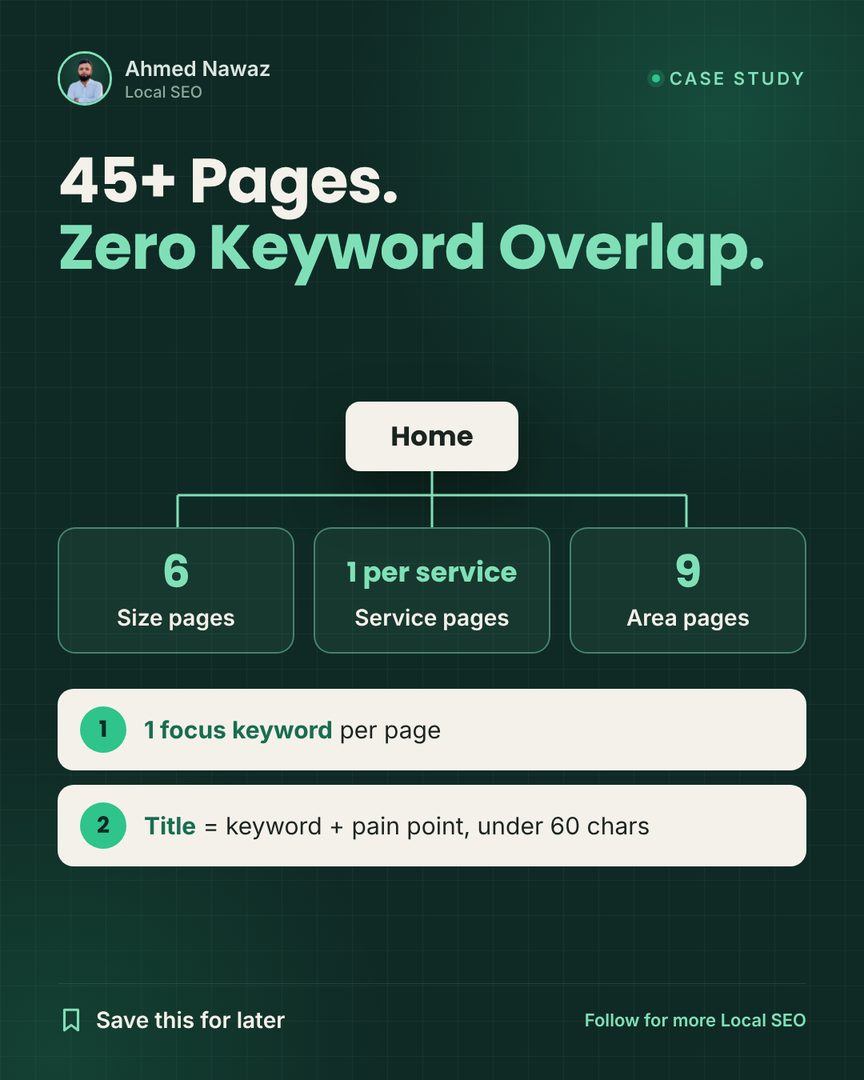
I built a 45+ page local service site, and no two pages target the same keyword. That one rule shaped the whole build, from the page list to the way each title is written.
The project
The site is a dumpster rental lead-gen site for Fresno, CA. I planned the pages in three groups before writing a single word:
- 6 size pages, one for each dumpster size
- Service pages, one for each service type
- 9 service-area pages, one for each area served
You can see the finished structure in the full case study.
One page, one focus keyword
Every page has one focus keyword. Before writing anything, I checked it against my keyword map. If two pages could rank for the same search, one of them had to change: a different angle, a different keyword, or no page at all.
The title formula
Titles follow one formula:
Primary keyword + the customer's pain point, under 60 characters.
The keyword tells Google what the page is about. The pain point gives the searcher a reason to click. Keeping it under 60 characters means the title is less likely to be cut off in the results.
Why a keyword map is worth the time
When two of your pages compete for the same search, Google has to pick one, and often neither ranks well. This is keyword cannibalization, and it is easy to create by accident on a site with many similar pages, which is exactly what a local service site is.
A keyword map takes a few hours. Fixing cannibalization later takes much longer, because you have to work out which page should win, rewrite the other, and repair the internal links between them.
How to start your own map
A simple sheet is enough. One row per page, with these columns:
- The page URL or planned slug
- The one focus keyword
- The search intent (someone wants a price, a service, an area, an answer)
- The title and H1 you plan to use
Before you add a row, search the sheet for the keyword. If it is already there, you do not need a new page.
When you plan a new local site, do you start with keywords or with content?

Ahmed NawazLocal SEO and Google Business Profile specialist. I build and rank my own lead-gen sites, then use the same method for clients. About me